 GG Transcript
How to Use an AI Transcript Generator for Notes and Summaries
The transcript is the source. AI helps reshape it into the format the next task actually needs.
 Harry Vu Le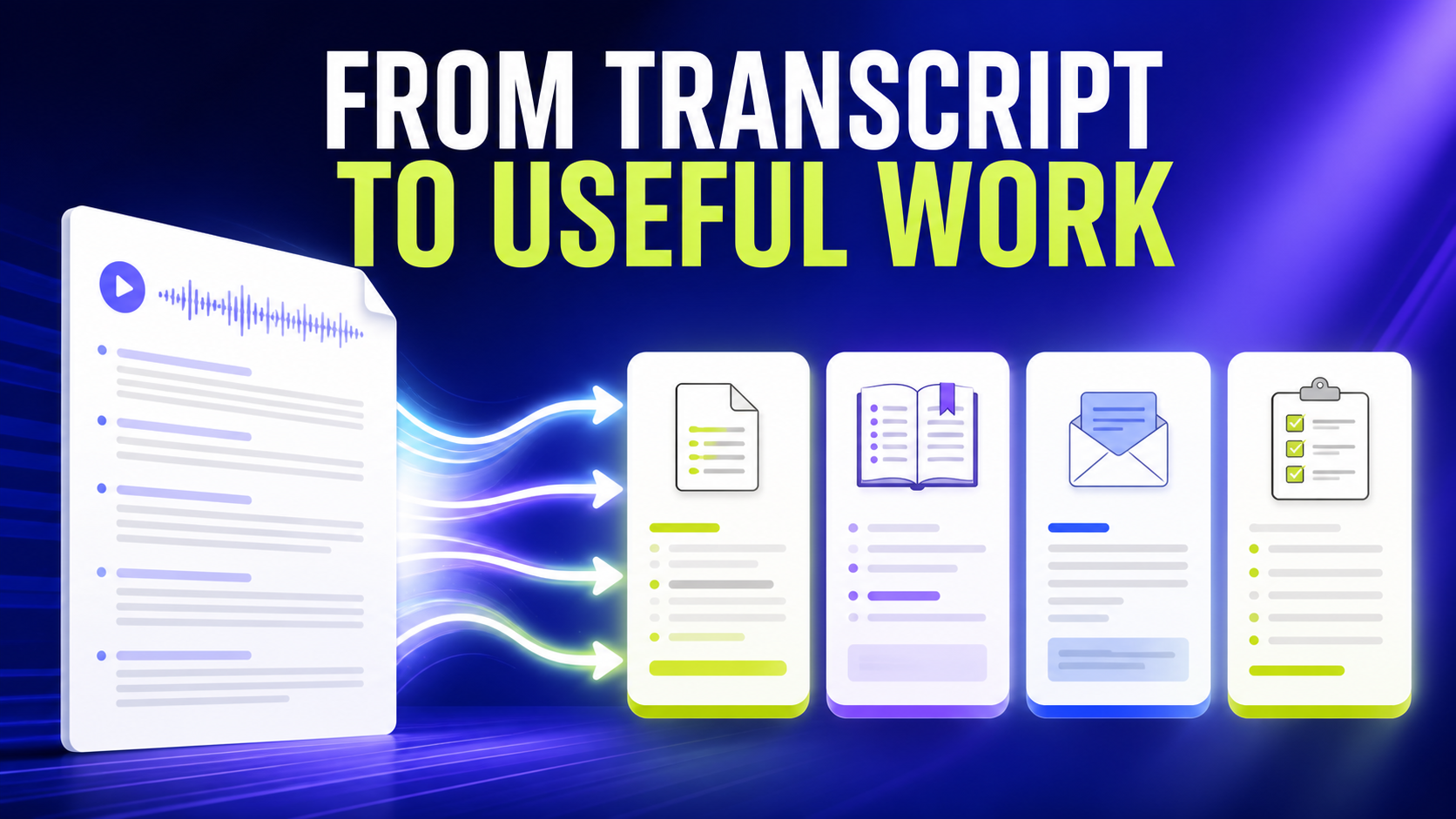
The transcript is only the beginning
The first generation of transcription tools solved a straightforward problem: turning speech into text. That alone was valuable because it reduced manual typing and made spoken information searchable. Today, however, the transcript is increasingly only the beginning. Once people have the text, they usually need to do something with it.
That is where an AI transcript generator becomes more useful than simple speech recognition. The value is no longer limited to producing a raw transcript. The same spoken information can become a summary, study notes, action items, an email, a Q&A document, an executive summary, a table, or another custom output designed around the user's actual task.
GG Speech was built around this idea. Speech-to-text captures the information first. AI can then help transform it when the user chooses.
Consider a meeting. A sixty-minute transcript might contain thousands of words, including greetings, repetition, incomplete sentences, side conversations, and detailed explanations. The transcript is valuable because it preserves context, but reading every line later may be unnecessary. A concise AI summary can provide the main ideas while the full transcription remains available for reference.
The same principle applies to studying. Lectures are designed to be heard, not read. Teachers repeat important concepts, transition between subjects, answer questions, and sometimes explain the same idea several ways. A raw lecture transcript therefore does not automatically look like effective study material.
Useful outputs for real tasks
An AI transcript generator can reorganize that information. The lecture can become study notes centered around the concepts that matter most. Instead of rereading an hour of spoken text in chronological order, a student can work with a more structured version while still returning to the original transcript when more detail is needed.
Emails provide another useful example. Many people can explain an email faster than they can write it. They know the situation, what happened, what they need from the recipient, and what tone the message should have. The difficult part is turning that knowledge into a clean written structure.
Voice typing changes the first step. The user speaks naturally and GG Speech converts the explanation into text. The transcript can then become the source for an email draft. The underlying ideas still belong to the user; the AI simply helps organize them into a format suited to written communication.
AI prompting creates an even stronger reason to combine speech-to-text with custom outputs. Good prompts for ChatGPT, Gemini, Claude, and similar tools often need substantial context. A user may need to describe the objective, provide examples, specify constraints, mention what has already been tried, and explain the desired format.
Typing all of that manually can become tedious. Speaking the explanation is often much easier. The transcript can then be cleaned or structured into a more precise AI prompt before being used.
Why custom formats matter
This is one reason voice typing and AI transcription work particularly well together. Speech makes it easier to produce large amounts of context. AI makes it easier to organize that context afterward.
GG Speech also supports custom AI outputs because no single format makes sense for every user. A student may want definitions, examples, and revision questions from the same transcript. A project manager may want decisions, blockers, responsibilities, and deadlines. A content creator may want a blog outline and social post. A researcher may want themes and key quotations.
The source information may be similar, but the useful result is different.
Custom outputs allow the transcription workflow to reflect that difference. Instead of forcing everyone to use the same generic summary, the transcript can be transformed according to a more specific instruction. This is where an AI transcript generator begins to feel less like a transcription service and more like a productivity tool.
There is also an important efficiency benefit. Without an integrated workflow, people often copy the same transcript into multiple tools. They paste it into one application for summarization, another for an email, another for notes, and perhaps another AI tool for questions. Each step introduces more copying, more tab switching, and more opportunities to lose track of the original information.
From speech-to-text to speech-to-work
GG Speech reduces some of that fragmentation by keeping the transcript and its possible outputs connected. The user speaks once, preserves the text, and can reuse the same material for several purposes.
This does not mean every transcript should be processed by AI. Sometimes the raw text is exactly what the user needs. The advantage comes from having the option to move further without rebuilding the workflow from the beginning.
The broader shift is from speech-to-text toward speech-to-work. Traditional transcription saved the time required to type what was said. AI transcription can also save some of the time required to rewrite, summarize, reorganize, and repurpose that text afterward.
That is the purpose of GG Speech as an AI transcript generator. Speech becomes text, but the workflow does not have to stop there. The transcript can continue evolving until it becomes the format that is actually useful.